Voice Lab
Voice Lab is where you choose how your agents sound. Clone a custom voice from a short audio sample, or pick from a library of ready-made voices — then preview it and assign it to any agent. The right voice makes your calls feel consistent and on-brand, and the same voice can back as many agents as you like.
Open Voice Lab (/voice-lab).
Two ways to get a voice
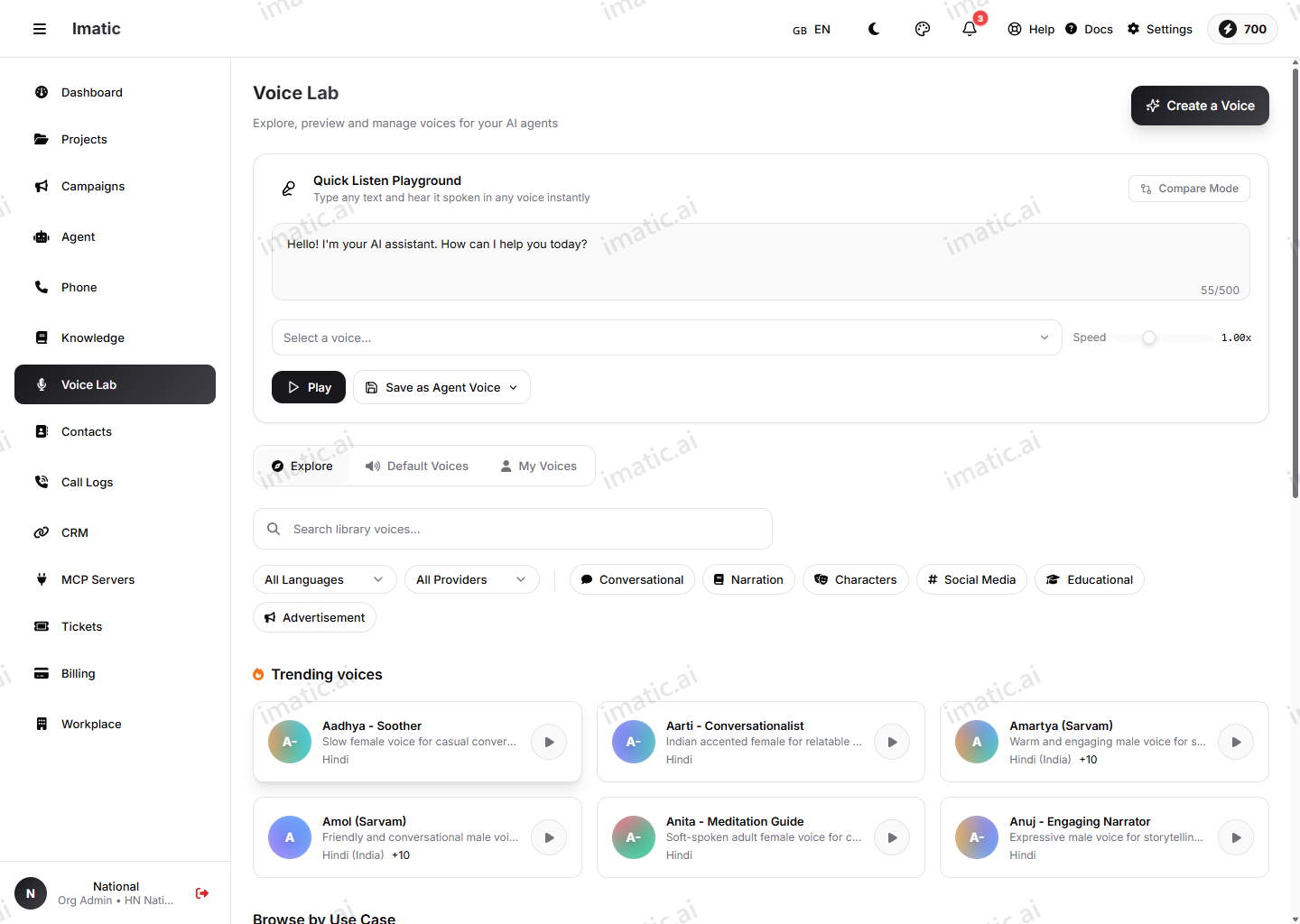
You have two paths, and most organizations use a mix of both:
- Clone a custom voice — capture a specific person's voice (a brand spokesperson, a founder, a named agent persona) from a short recording.
- Pick a prebuilt voice — choose from a ready-made library when you just need a good, professional voice quickly and don't need it to be anyone in particular.
Whichever you pick, you preview it in Voice Lab first, then assign it to one or more agents.
Clone a custom voice
Instant cloning creates a custom voice from a short recording — a sample of at least 10 seconds is enough to get started.
- Provide a clean voice sample (10 seconds or more).
- Create the clone.
- Preview it to hear how it sounds before you use it.
Quality in, quality out. Record the sample in a quiet room with a single speaker and no background music. Have the speaker talk naturally, the way they would on a real call. A clean 10–30 second sample clones far better than a long, noisy one.
Only clone a voice you have the right to use. Get explicit consent from the person whose voice you're cloning — this is both an ethical and a legal requirement in many places.
Prebuilt voice library
If you don't need a custom voice, choose from the prebuilt voice library — a selection of ready-made voices. Browse the options and preview any of them to hear it before deciding. Listen with your real use case in mind: a calm, measured voice suits support and confirmations, while a brighter, warmer voice can suit outreach.
Assign a voice to agents
Once you've cloned or chosen a voice, assign it to your agents. From then on, that agent speaks in the assigned voice on every call. Because a voice is independent of any one agent, you can give a whole team of agents the same on-brand voice, or give each agent its own.
To change how an agent sounds later, assign a different voice here, or fine-tune the delivery on the agent (see below).
Shape the delivery on the agent
Voice Lab decides which voice an agent uses. How that voice is delivered — stability, style, speed, pitch, emotion and pronunciations — lives on the agent itself, on its Voice & audio tab. Pick the voice here, then shape its pacing and expressiveness there.