Billing & wallet
Billing is where you keep your account funded and your plan right-sized for how much you call. Check your usage and balance, top up prepaid credit, manage how you pay, and switch plans as you grow.
Open Billing (/billing). Billing is managed by the organization admin — see roles for who has access.
How billing works
Voice Portal billing has two parts that work together:
- A plan that sets your tier — the features and allowances your organization has.
- A prepaid wallet that your usage draws down as agents place and answer calls and use AI models.
Calling, telephony and model usage all consume credit from the wallet, so the practical rule is simple: keep a plan that fits your volume, and keep enough credit in the wallet to cover the calls you're about to make.
Overview
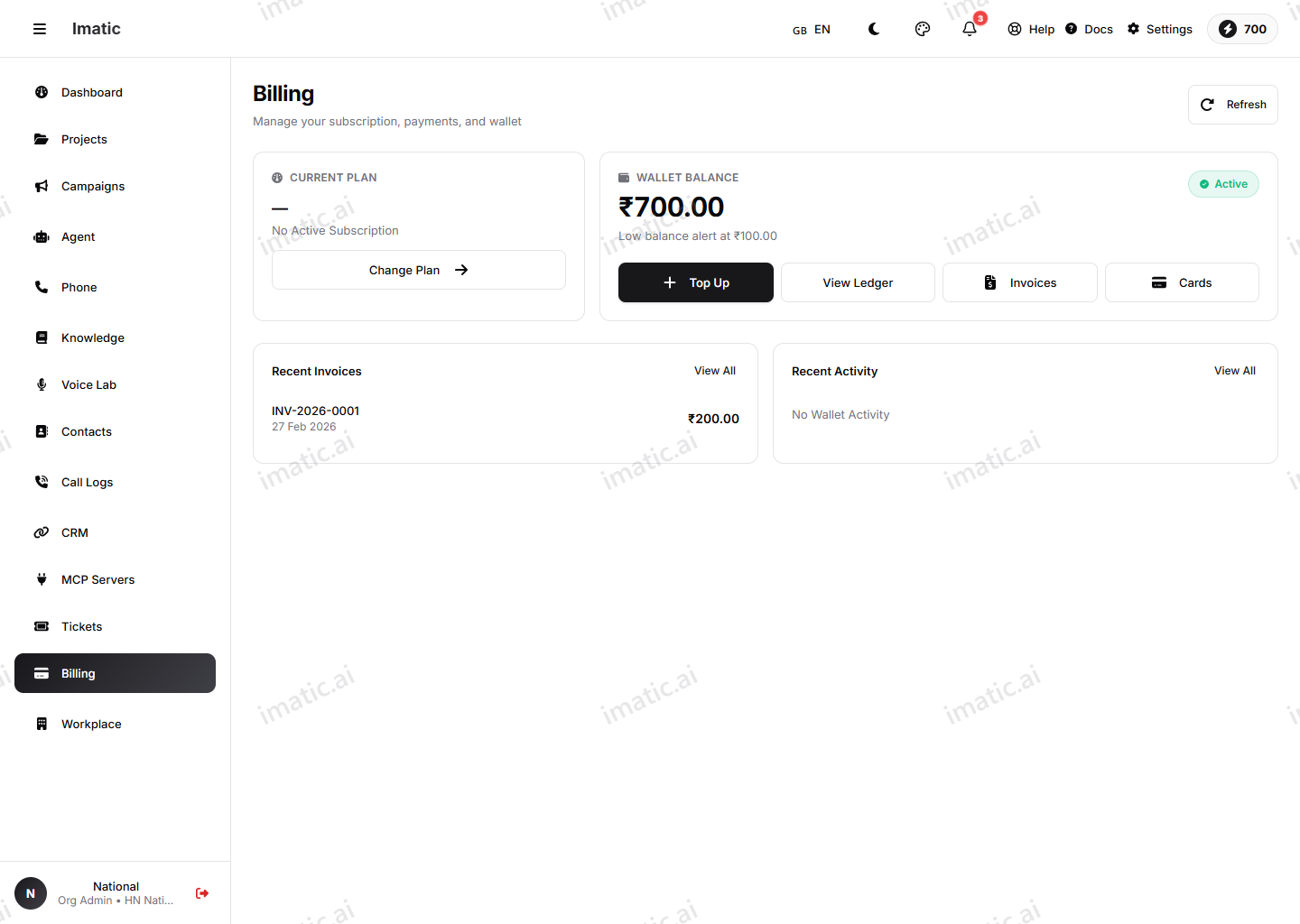
The Overview is your billing home. At a glance it shows:
- Plan — the plan your organization is on.
- Wallet balance — the credit you have available, with a low-balance alert when it runs down.
- Recent activity — your latest invoices and wallet transactions.
Use it to keep an eye on whether your usage and balance are in a healthy place before they become a problem — especially ahead of a large campaign.
Wallet
The Wallet (/billing/wallet) holds your prepaid credit, which calling draws down as you use it.
- Top up — add prepaid credit so your agents keep calling without interruption.
- History — review past top-ups and how credit has been used over time.
Top up before a big campaign. If the wallet runs dry mid-run, calling pauses until you add credit — easy to avoid by funding ahead of time and watching the balance on the Overview.
Payment methods
The Payment methods page (/billing/payment-methods) is where you add and manage how you pay — the cards or methods used for top-ups and plan charges. Keep at least one valid method on file so top-ups don't fail at the moment you need credit most.
Change plan
When your needs change, open Change plan (/billing/change-plan) to move to a plan that fits your calling volume and the features you need. Review what each plan includes, then switch. Move up when you're consistently bumping against your current tier, and down if you've scaled back and are paying for room you don't use.
For finalized billing documents — the invoices you keep for your records — see Invoices under Workplace.
Next steps
- Top up before launching a Smart Campaign.
- Review invoices and compliance settings under Workplace.
- Buy a phone number — number and call costs appear in billing.