Voice & audio (STT/TTS)
The Audio tab (labeled Voice in the agent builder) controls how your agent hears and speaks. Both speech-to-text (STT) and text-to-speech (TTS) are multi-provider — you choose a provider, then a model and the provider-specific controls. Getting these right is what makes an agent sound natural and understand callers accurately. Set this in the agent builder at /agent/setup.
The speech-to-text settings apply in Pipeline voice mode. In the realtime modes (Azure Realtime, Gemini Realtime) transcription is handled internally by the provider, so the STT section is ignored. Set the voice pipeline mode on the LLM tab.
Speech-to-text
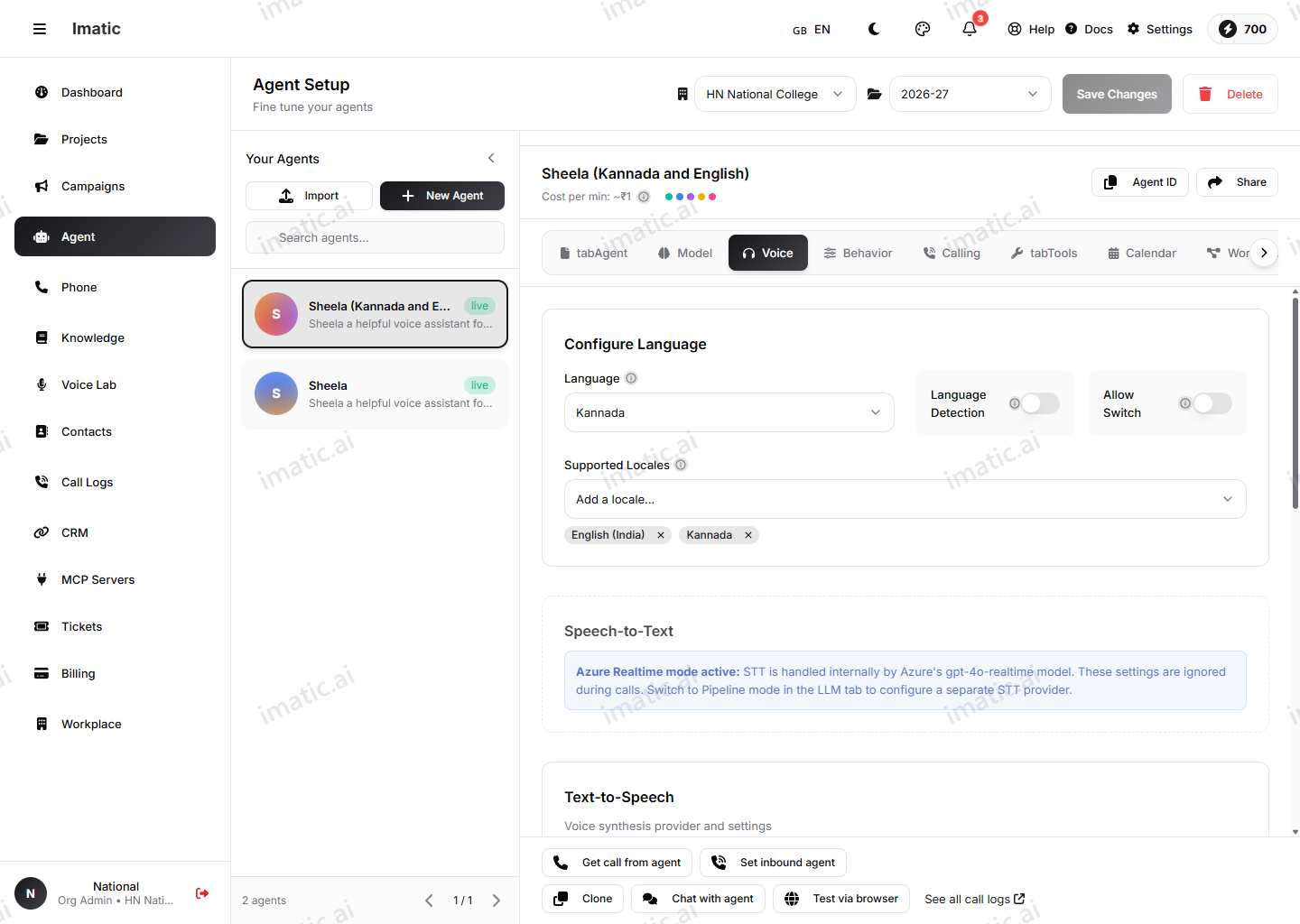
Speech-to-text turns the caller's audio into text the agent can act on. Choose a provider and model that fit your callers and your domain. STT providers include:
- Deepgram (default) — Nova-3 / Nova-2 and more.
- Azure — Default and Conversation models.
- Groq — Whisper Large v3 / Turbo.
- Sarvam — Saarika (Indic).
Common controls
Language, punctuation, word timestamps and interim results apply across providers. Setting the right language is the single biggest factor in transcription accuracy.
Provider-specific controls
Some controls only appear for the provider that supports them:
- Deepgram — keyword boost, smart format, filler removal, diarization (separate the transcript by speaker), profanity filter, alternatives and latency mode.
- Azure — profanity mode (masked / removed / raw).
- Sarvam — code mixing.
You can also add custom vocabulary (product names, brand terms, jargon) to improve recognition, and tune endpointing and VAD turnoff timings.
Transcript PII redaction (which sensitive types to mask) is configured on the Guardrails tab, not here. See Guardrails.
Text-to-speech
Text-to-speech is the voice your agent speaks with. Choose a provider, model and voice. TTS providers include:
- ElevenLabs (default) — Turbo v2.5 / v2, Multilingual v2.
- Azure — Neural and Standard.
- Groq — Orpheus.
- Cartesia — Sonic.
- Google — Gemini TTS.
- Sarvam — Bulbul (Indic).
Voice
Choose the voice that fits your brand and your callers. You can also use a custom voice created in Voice Lab — clone a voice from a short sample and assign it to the agent. Use the preview button to hear it.
Common controls
Speed, pitch, style, volume, emotion, emphasis, output format and custom pronunciations apply across providers. Slightly slower speech is easier to follow on a phone call, especially for numbers, dates and confirmations.
ElevenLabs-specific controls
Stability, similarity boost, style exaggeration and speaker boost are ElevenLabs voice controls:
- Stability controls how consistent the voice sounds from phrase to phrase — higher is steadier, lower allows more natural variation.
- Similarity boost keeps the output close to the source voice.
- Speaker boost enhances the resemblance to the original speaker.
Test changes out loud, not on paper. Use the voice test at /agent/interface after each adjustment — speed and pronunciation issues are obvious in seconds when you hear them.