Tools & MCP
The Tools tab is what turns an agent from a talker into a doer. Tools let the agent take real actions during a call — look something up, create a record, trigger a workflow — instead of only speaking. You add tools as functions and connect external capabilities through MCP servers. Set this in the agent builder at /agent/setup.
Functions
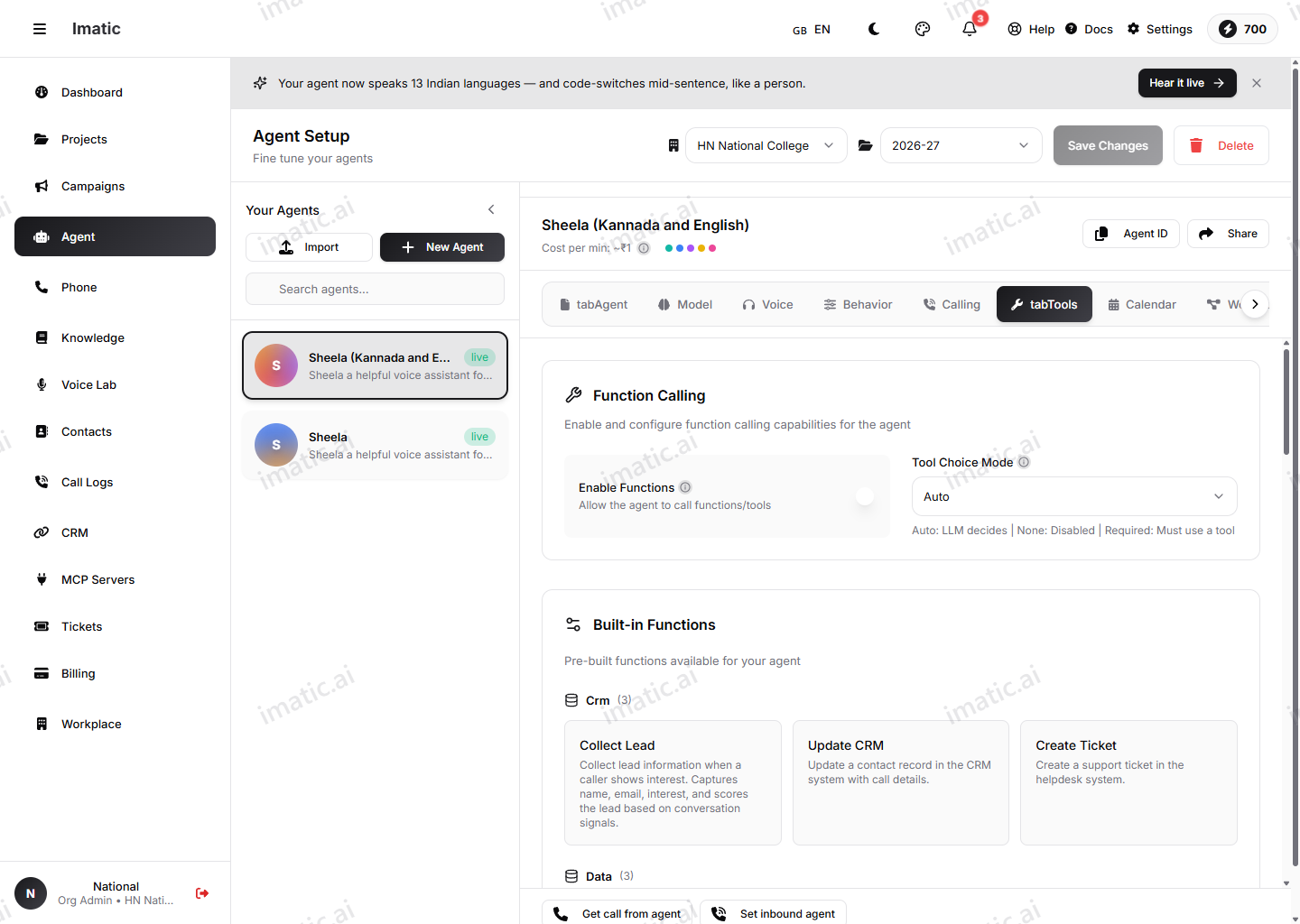
A function is a discrete action the agent can call mid-conversation when it decides one is needed — checking an order status, booking a slot, creating a ticket, looking up an account. Bind the functions this agent is allowed to use, and the model will call them at the right moment based on what the caller says.
The pattern on this tab is:
- Choose which functions this agent may use from those available to your organization.
- Bind them to the agent.
- The model decides, turn by turn, when a bound function is the right move and calls it.
An agent can only ever use the functions you've bound to it, so it can't take an action you haven't granted. Use functions when the agent needs to do something concrete during a call rather than just answer a question.
Built-in functions cover common actions and many take their own configuration — for example send_email (with a default template and attachments), transfer_call, escalate_to_human, schedule_callback and collect_feedback. Email follow-up is one of these functions; it is not a Channels feature.
Workflow Builder
For agents that need a scripted, deterministic path rather than open-ended conversation, open the Workflow Builder from this tab (the Open Workflow Builder button). It's a visual, node-based editor for call flows — questions, conditions, tool calls, webhooks and transfers (the Transfer Call function — which hands the call to a phone number or queue with an optional announce message — is configured here). You can also start from a template or import an OpenAPI spec to generate functions.
The platform-level functions catalog is managed by the imatic team. As an org user, you bind the available functions to your agent on this tab — you don't author the catalog itself.
MCP servers
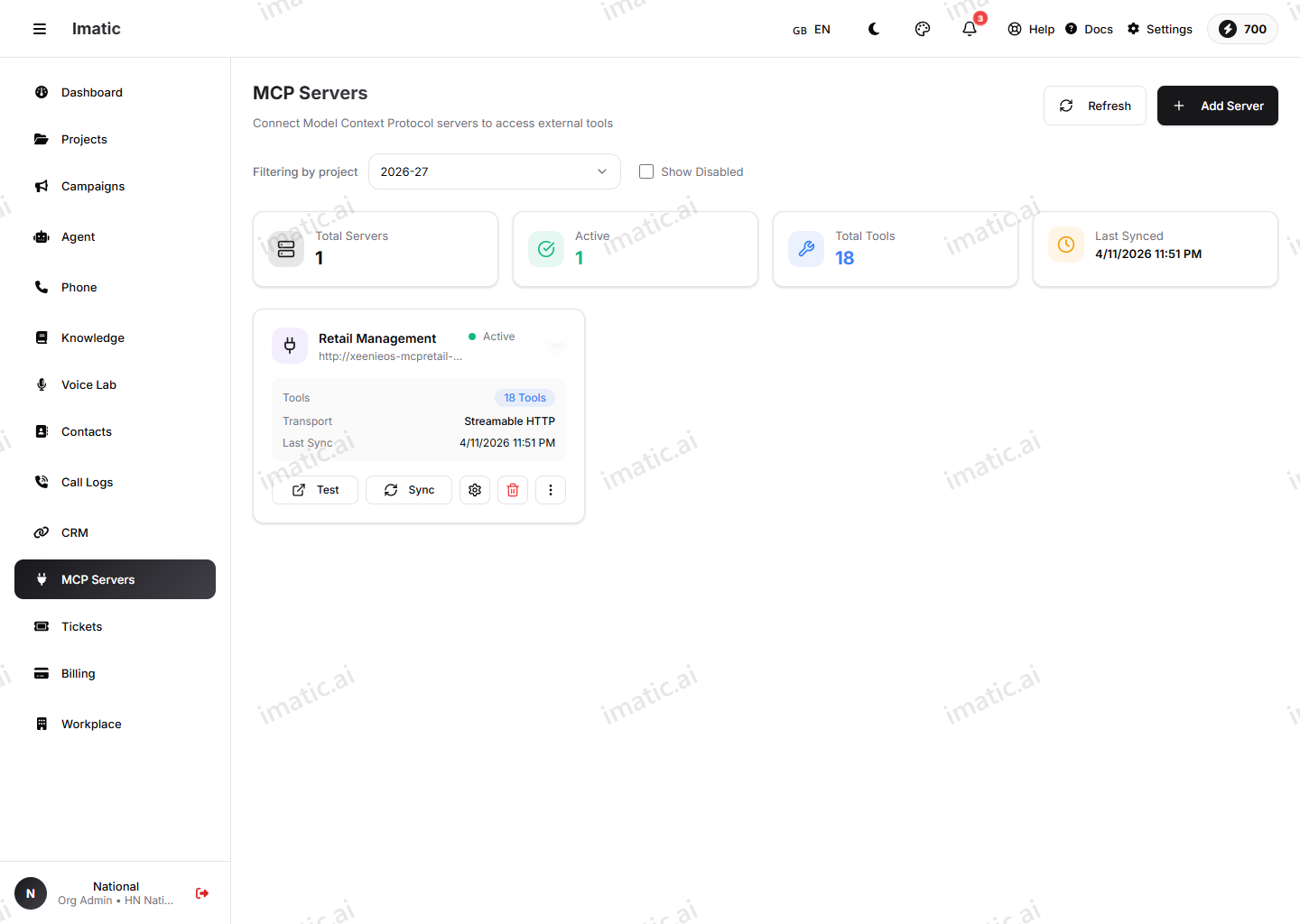
MCP (Model Context Protocol) servers extend your agent with capabilities defined outside the Portal. Register an MCP server once under /integrations/mcp-servers — providing its credentials and discovering the functions it exposes — then bind those functions to any agent that needs them.
The flow is:
- Register the MCP server and its credentials.
- Discover the functions the server makes available.
- Bind the functions you want to this agent.
This lets your agent act in your other systems without custom plumbing in each agent.
If you want to bring contacts and leads in from your CRM — Zoho, Salesforce, HubSpot, Pipedrive and many more — connect it from CRM integrations. (CRM linkage is a one-way import into imatic, separate from in-call tools.)
Tool choice
Tool choice controls how the agent decides whether to use a tool on a given turn. Use it to set how readily the agent reaches for a function — from letting the model decide on its own when a tool fits, to steering it toward or away from tool use. Set this to match how action-heavy you want the agent to be:
- For a mostly conversational agent that only occasionally needs to act, let the model decide.
- For an agent whose whole job is to take an action (for example, always look up the caller's account first), steer it toward tool use so it doesn't skip the step.
Pair this with a clear instruction in your system prompt (on the Agent tab) describing when each function should be used. Tool choice sets the disposition; the prompt gives the model the trigger.