Knowledge & RAG
Retrieval-augmented generation (RAG) lets your agent answer from your own documents instead of guessing: when a caller asks something, the agent looks up the most relevant passages and answers from them. RAG is configured in the Add Knowledge Base section of the LLM tab in the agent builder at /agent/setup — there is no separate Knowledge tab.
How RAG works here
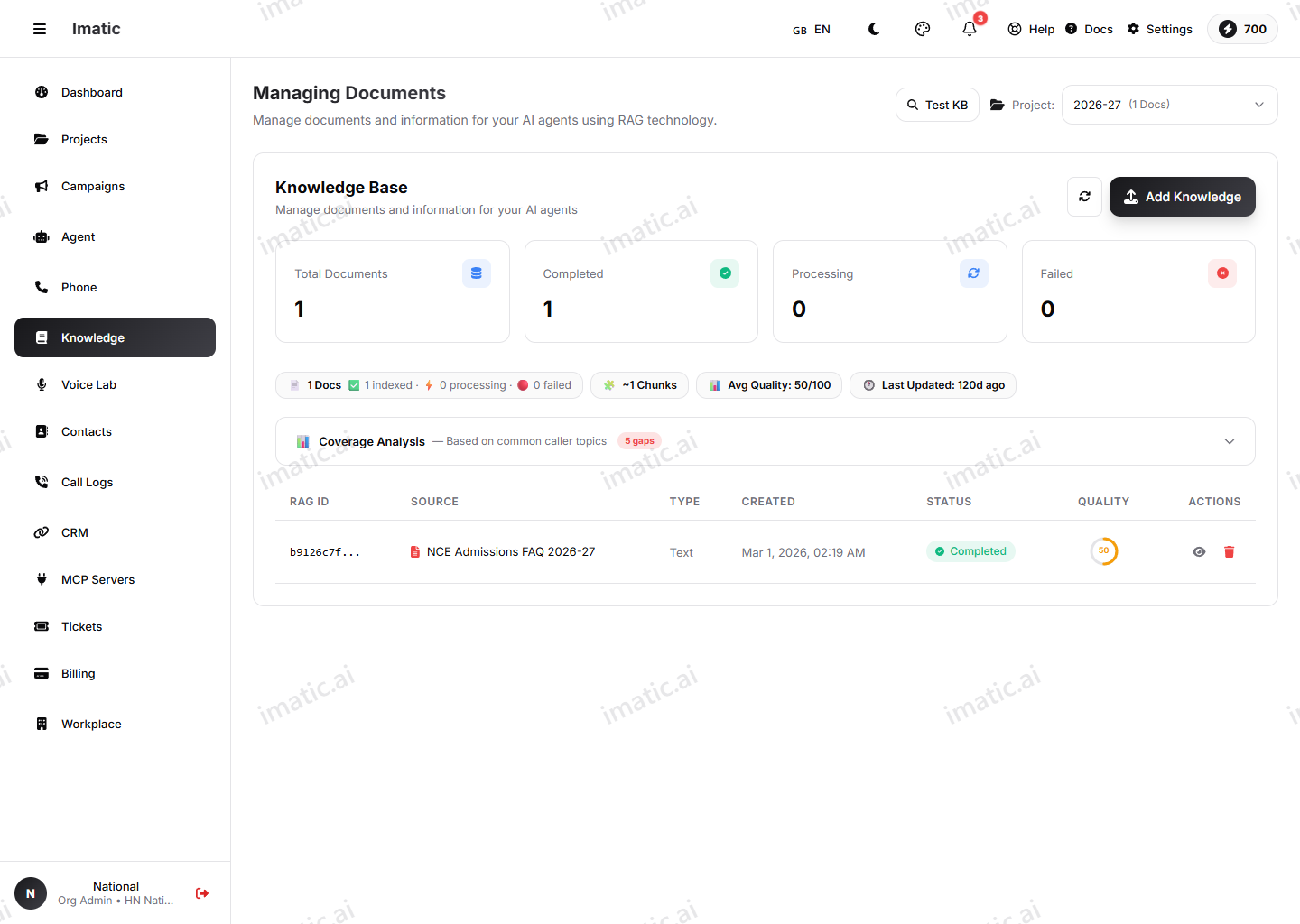
RAG keeps answers grounded. Rather than relying only on what the model already knows, the agent retrieves matching content from your documents and uses it to respond. That means accurate, up-to-date answers about your products, policies and processes — and far fewer made-up replies.
Before you can link a knowledge base, you need one. Upload your documents (PDF, DOCX or TXT) and manage them in the Knowledge base.
Before you link
You need a knowledge base with content in it before RAG does anything. The order is:
- Upload and index your documents in the Knowledge base.
- On the Model (LLM) tab, turn on RAG Enabled and link that knowledge base to the agent.
- Tune the similarity threshold and top-k below.
- Test with real questions and adjust.
Link a knowledge base
On the Model (LLM) tab, turn on RAG Enabled and select the knowledge base (or several) you want this agent to draw from. Once linked, the agent automatically searches it during calls and uses what it finds to answer.
Similarity threshold
The similarity threshold sets how closely a passage must match the caller's question before it's used.
- A higher threshold returns only strong matches — more precise, but the agent may find nothing for loosely worded questions.
- A lower threshold is more forgiving and surfaces more passages, at the risk of pulling in less relevant ones.
Tune it so the agent reliably finds your content without dragging in noise.
Top-k
Top-k sets how many of the best-matching passages the agent retrieves for each question.
- A smaller top-k keeps answers tight and focused on the closest matches.
- A larger top-k gives the agent more context to work with, which helps for broad questions but can dilute the answer.
Start with conservative values, then test with real questions in the chat test at /agent/chat. If the agent misses answers that are clearly in your documents, lower the threshold or raise top-k a little; if it pulls in off-topic content, do the opposite.
Tuning at a glance
When the agent isn't answering the way you want, these two symptoms cover most cases:
| Symptom | Likely cause | Try |
|---|---|---|
| Agent says it doesn't know, but the answer is in your docs | Threshold too strict, or top-k too small | Lower the similarity threshold, or raise top-k slightly |
| Agent drags in off-topic or wrong material | Threshold too loose, or top-k too large | Raise the similarity threshold, or lower top-k |
Change one setting at a time and re-test, so you can tell what actually moved the result.