Conversation behavior
The Engine tab (labeled Behavior in the agent builder) controls how your agent handles the timing and pacing of a live phone call — interruptions, silence and pauses. Set this in the agent builder at /agent/setup.
The system prompt, the greeting, and the end / fallback / busy / voicemail messages are configured on the Agent tab, not here. This tab is purely about how the agent paces a call, not what it says. See the agents overview.
Barge-in and interrupts
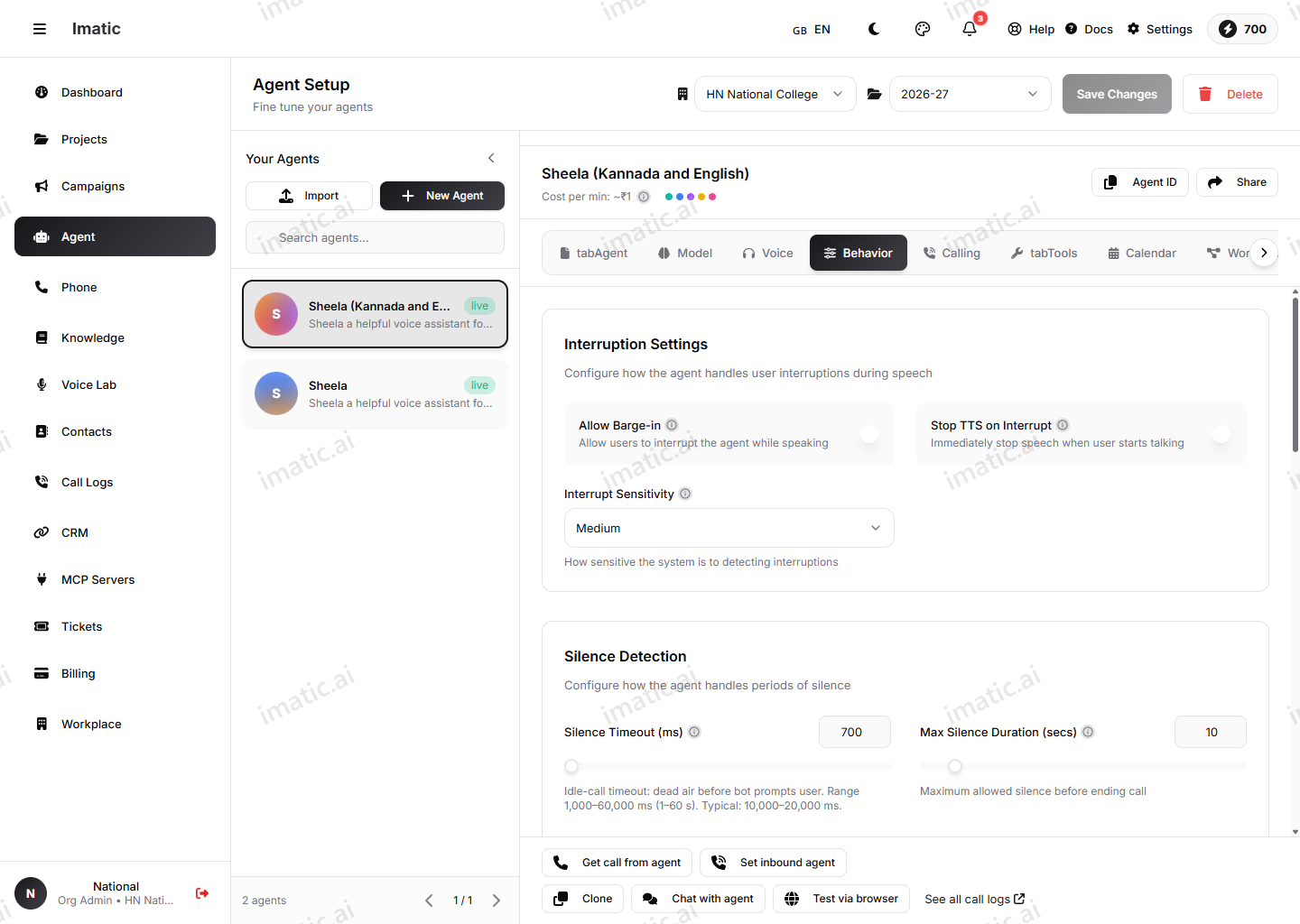
Barge-in lets the caller interrupt the agent mid-sentence. Two related controls govern it:
- Allow barge-in — whether the caller can interrupt at all.
- Stop TTS on interrupt — whether the agent immediately stops speaking when interrupted.
- Interrupt sensitivity — how easily an interruption triggers (low / medium / high). Higher sensitivity makes the agent yield quickly, which feels responsive but can trip on background noise; lower sensitivity holds its turn but can feel like it's talking over the caller.
Tune this to your callers' environment.
Voice-activity-detection padding
The VAD settings shape turn-taking by detecting when speech starts and stops:
- Speech detection padding (
prefix_padding_ms) — how much audio before detected speech to keep, so the start of a word isn't clipped. - Silence duration (
silence_duration_ms) — how long the caller must be silent before the turn is considered complete.
Response delay
Response delay (response_delay_ms) inserts a brief pause before the agent replies, so it doesn't jump in the instant the caller stops — a small delay sounds more natural and avoids stepping on a caller who's only pausing.
Silence handling
These settings decide what the agent does when the caller goes quiet — the silence timeout, the maximum silence duration, and the maximum silence count (how many times the agent re-prompts before ending). Sensible values keep dead air from making the call feel broken without ending it too soon.
Filler words
Enable filler words to let the agent use natural conversational sounds and brief acknowledgements during pauses and turn-taking, and optionally provide your own list. These small touches make the agent feel more human and less robotic.
Memory and post-call analysis
The Engine tab also exposes a few cross-cutting toggles:
- Call history memory — let the agent recall previous calls with the same contact.
- Auto-summarize and sentiment analysis — opt-in post-call analysis (also surfaced on the Guardrails tab).
Pacing only really shows up in voice. Confirm barge-in, silence handling and filler words in the voice test at /agent/interface, since timing is hard to judge on paper.