Calling & telephony
The Calling tab decides how your agent is used on the phone — whether it answers incoming calls, makes outgoing ones, or both — and the guardrails around each call. Set this in the agent builder at /agent/setup. Voice Portal handles the underlying telephony, so you configure behavior, not infrastructure.
Inbound and outbound
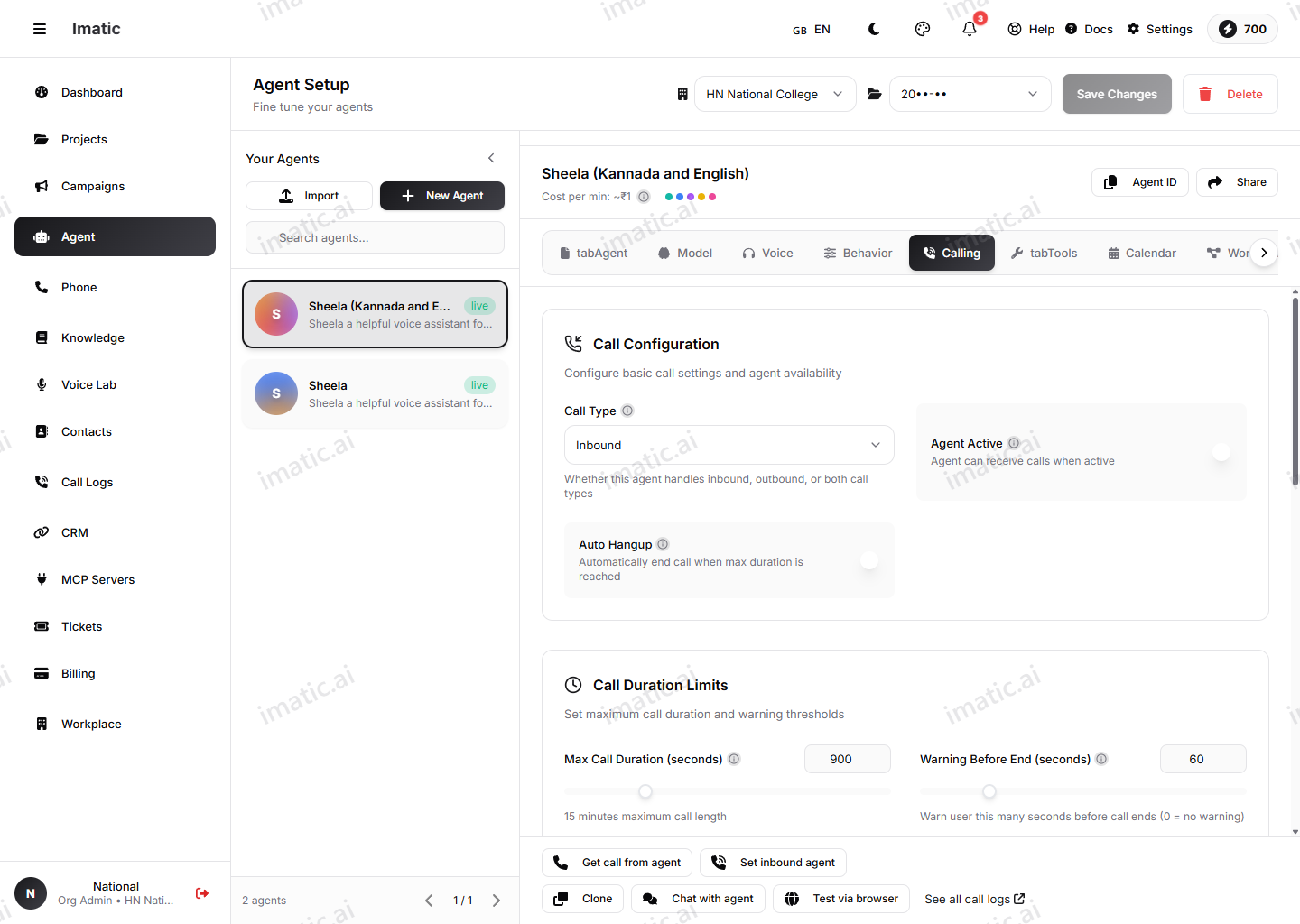
Choose how the agent operates:
- Inbound — the agent answers calls that come in. Pair it with a phone number so callers reach it directly.
- Outbound — the agent places calls, typically driven by a campaign or a bulk-call action from Contacts.
An agent can be set up for inbound, outbound, or both, depending on your use case.
Inbound agents need a number to answer on. Manage and buy numbers under /phone — see Phone numbers.
Maximum call duration
Set a maximum duration to cap how long any single call can run. The call ends when it reaches the limit. This protects against calls that stall or run away, and keeps usage predictable.
Auto-hangup
Enable auto-hangup so the agent ends the call cleanly when the conversation is genuinely over, rather than holding the line. This keeps lines free and avoids awkward dead air at the end of a call.
Assigned numbers and webhooks
The Calling tab is also where you assign phone numbers to the agent (and unassign them), and where you set webhooks that fire on call events — call started, call ended and transcript ready — so your systems can react in real time.
Call transfer
When a call needs a human, the agent can hand off the live call. Transfer is not configured on this tab — you set it up as the Transfer Call built-in function in the Tools tab (and as the Transfer step in the Workflow Builder), reached from Tools. It has two parts:
- Transfer destination — where the call goes. This is either a phone number or a queue, written as
queue:<name>(for examplequeue:sales). - Announce message — an optional line the agent speaks just before connecting, so the caller knows they're being transferred.
Set a phone number for a direct handoff, or a queue to route into a team. Add an announce message when you want the caller to hear a brief heads-up before the connection.
Pair transfer with a clear line in your system prompt (on the Agent tab) telling the agent exactly when to escalate. The agent only transfers well if it knows the trigger.