Sign up and sign in
Before you can build anything, you need an account. Creating one takes a minute and lands you on your forms home — the page that lists everything you build.
Create your account
- Go to the sign-up page at /signup.
- Enter your email and choose a password.
- Submit the form to create your account and sign in.
You sign in with your email and password. Sessions are kept secure with a signed token, so you stay logged in between visits on the same device.
Account and form-related messages go to this address, so pick one you actually read.
Sign in
Already have an account? Go to /login, enter your email and password, and you'll land on your forms home.
Reset a forgotten password
- On the login page, choose Forgot password (this opens /forgot-password).
- Enter the email tied to your account.
- Follow the link you receive to set a new password on the /reset-password screen.
Accept a team invite
If a teammate invited you to their workspace, your invite link opens the /accept-invite page. Set your password there to join, then sign in normally next time. Your role in the workspace (for example, whether you can manage other members) is set by whoever invited you.
Your forms home
After signing in, you land on your forms home at /forms. This is mission control for everything you build.
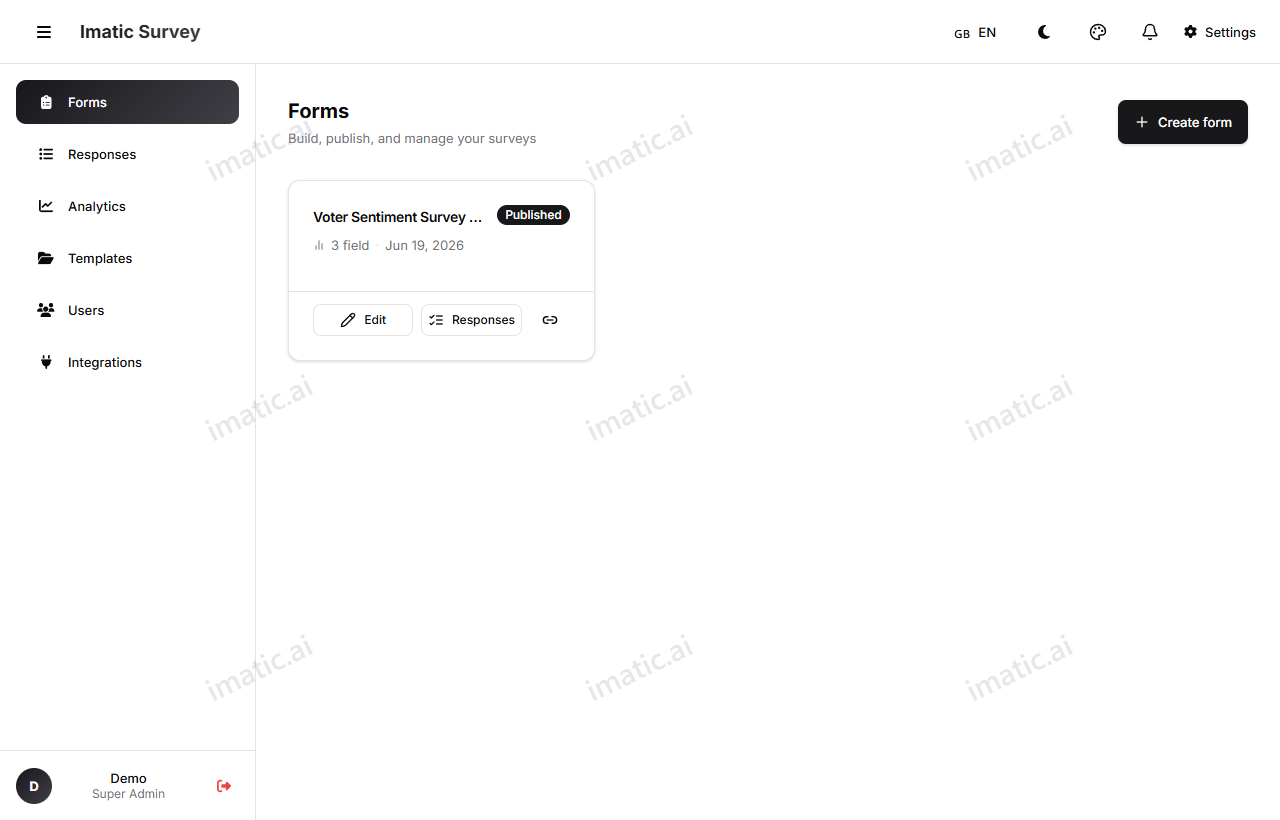
Each form appears as a card showing its:
- Title
- Field count
- Response count
- Last modified date
- Draft or Published badge
From a card you can jump straight to edit, duplicate, delete, responses, analytics, or share. Use the search box to find a form by name and sort to reorder the grid.
To start something new, use New Form and choose:
- Blank — an empty canvas.
- Template — start from a ready-made template.
- Import — bring in an existing form definition.