Sign up & connect
Getting started takes a minute. Create your account, claim your handle, and you have a shareable booking link ready to go.
Create your account
You can sign up with an email and password, or with a social account.
With email and password
- Go to the Sign up page.
- Enter your name, email, and a password.
- Submit the form, then sign in with the same details from the Login page.
If you ever forget your password, use Forgot password to receive a reset link, then set a new one on the reset page.
With Google or Outlook
Prefer one click? Use Continue with Google or Continue with Outlook on the login or sign-up screen.
- Google sign-in is live — pick your Google account and you are in.
- Outlook sign-in is also supported; choose your Microsoft account when prompted.
Signing in with Google or Outlook creates or logs you into your account. It does not by itself sync your existing calendar events. Connecting a calendar for availability is a separate step on the Integrations page.
Claim your handle
Your handle (also called your username) is the personal part of your booking links. With a handle of priya, your event-type links look like calendar.imatic.ai/book/priya/intro-call.
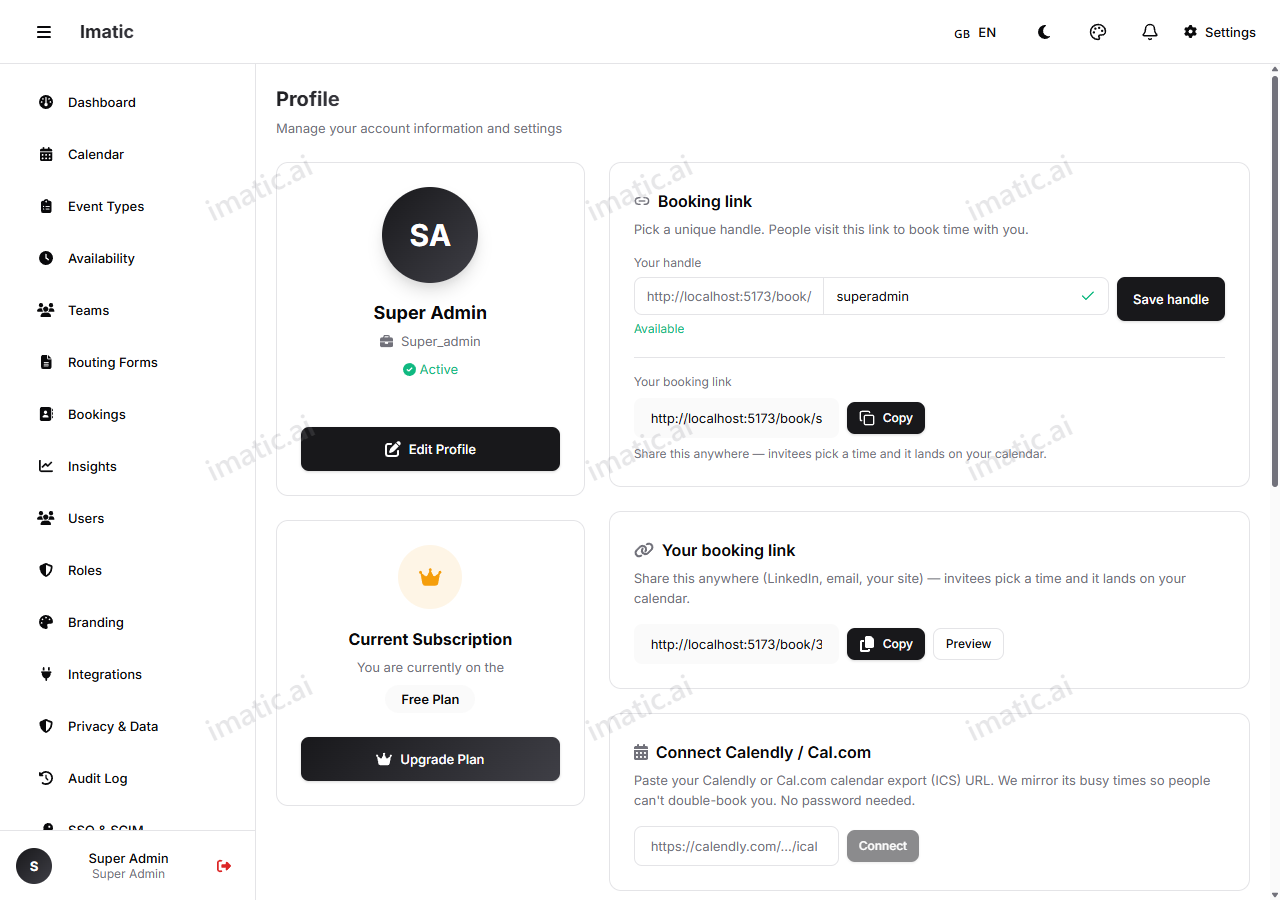
To set or change it:
- Open your profile settings.
- Type the handle you want. The editor checks whether it is available as you type.
- If your first choice is taken, pick one of the suggested alternatives or try another.
- Save.
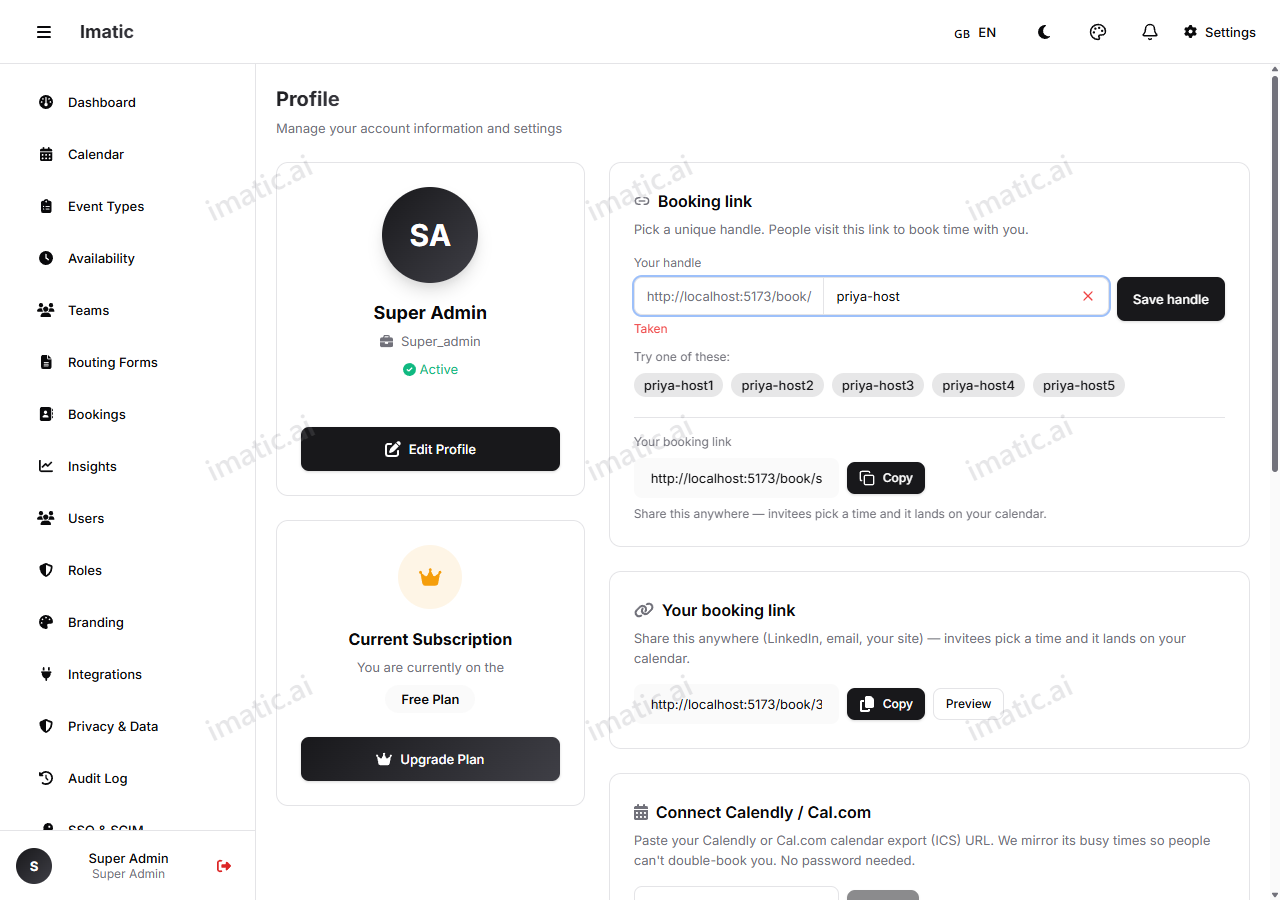
Your handle appears in every link you share, so a clean handle like your first name or brand reads best. You can change it later, but old links that used the previous handle will stop working.
Personal accounts
imatic Calendar is built around a personal account — it is yours, for sharing your own booking links and managing your own appointments. You do not need to set up an organization or invite anyone to start booking meetings.